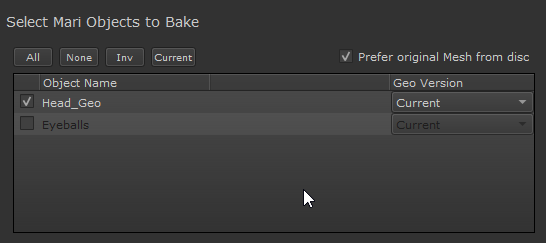
The Mari Objects List allows you to select which Mari Objects should be calculated during the Baking process.
•Each selected object will trigger a separate bake process, one per active baker in the Baker Render List
•Each selected object will be calculated separately.
•Objects will not affect each other. Each Object will by default be calculated as if there are no other objects next to it.
•To specify influence from one object to another (e.g. floor object receiving occlusion from couch object), use the High Definition Meshes
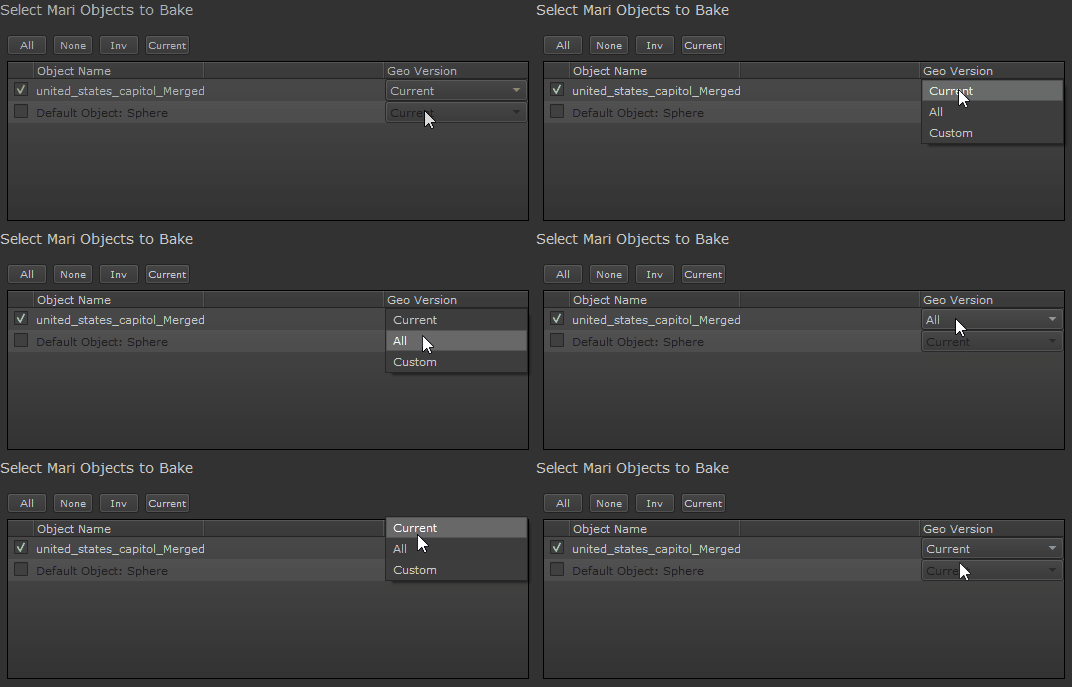
By default the currently active Mari Geo Version will be baked. Using the Geo Version Dropdown you can choose to bake all Geo Versions or only specific ones.
Each geo version you baek will be treated as a separate bake however they will be imported into the same channel/geo channel
Geo versions need to have unique UDIM ranges in order not to overwrite each other during batch baking. All bakes
When on, the original mesh file from disc will be used, that was used to import the object into Mari. If the checkbox is off or the mesh file is no longer available, the mesh will be exported from Mari instead.
Using the original Mesh file allows you to maintain geometry information during baking, that would have been lost when importing the object into Mari, e.g. custom face normals.
If on, mesh transformations performed with Mari's "Transform Selected Object" Tool are ignored.
Objects will be calculated as they exist in your Mari Project:
•if the object has been moved using the Mari Transformation Tools, it will be calculated in its current position/scale/rotation
•if the object is subdivided it will be calculated at the subdivision level, currently active in your Mari Project
•Selected Objects will be calculated fully, even if they have partially hidden parts (patches/faces) inside your Mari Project
Quick Select Buttons located above the Object List allow you to quickly modify your current Selection
•All
All objects in the Object List will be marked active
•None
All Objects will be deselected
•Invert
Invert your current selection. Activated Object will become inactive,inactive ones active.
•Current
Select only the Mari Object, which is currently selected in the Mari Object Palette.