|
Dot Node Path Creation |
 Shortcut (Nodegraph Only):
Single tab or double tap
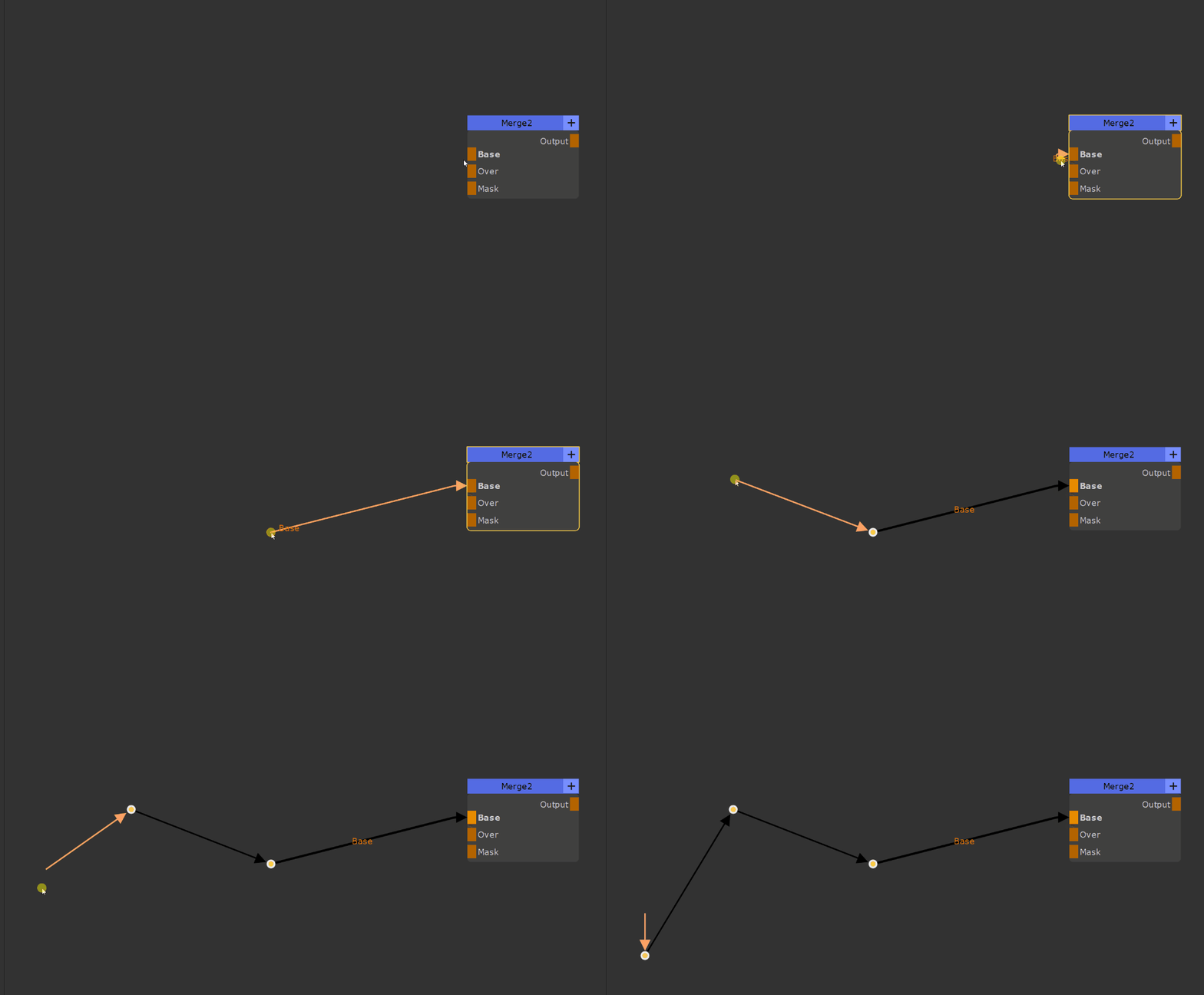
Drag away from a node input or output port and while holding the connection, press the dot hotkey, then continue plotting your path inserting dot nodes on the fly.
If you double tap the dot hotkey, the dot node will snap to the closest 90 degree point to create an orthogonal connection line.
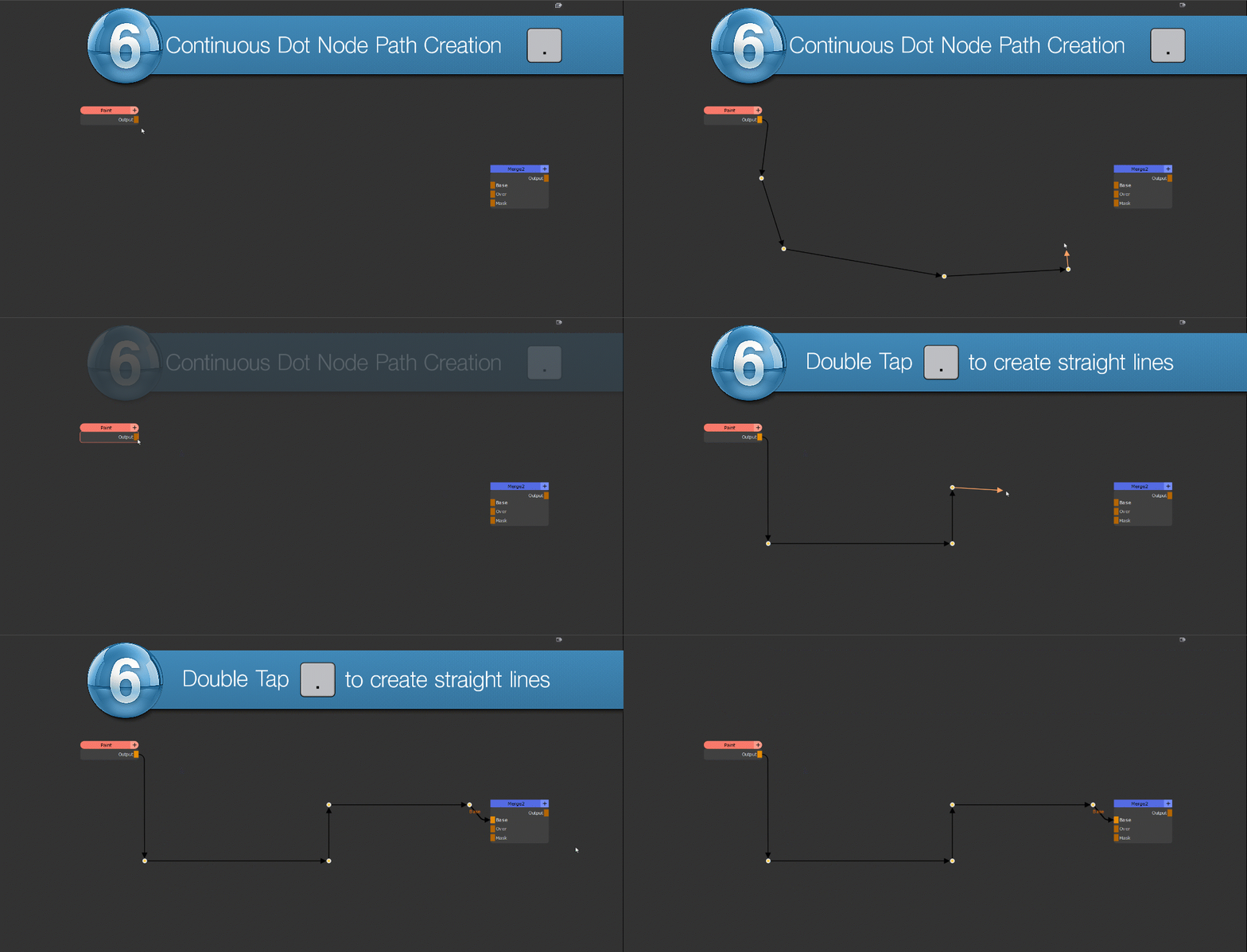
The feature works both for input and output ports