
|
AB Compare Mask |
 Where to find it: (This Node is available in the Nodegraph only)

 NodeGraph / Right Mouse Click / Add Nodes / Layer / Extension Pack /
Shortcut (Nodegraph Only): CTRL++ALT+M

The AB Compare Mask Node is similar to a Height Blend Node however its computation is simplified to strictly comparing values with each other (larger, smaller, equal) without doing any more of the advanced interpolation a Height BlendNode does. This makes the node more predictable, light weight and easier to use.
|
|
|
Two Materials blended together using a Compare Mask Node
|
Quick Setup |
 You can create the setup with two (material or regular) nodes selected and by pressing CTRL+ALT+M
Alternatively you can select two (material or regular) nodes and choose the "Compare Mask" Option from the Node Creation Hotbox (Hotkey C)
Finally you can also access it via new Node Context Menus, by selecting a Multi Channel Merge Node and pressing CTRL+SPACE
Example of an automatic compare Mask setup where the Displacement of materials is fed into the A+B ports of the AB Compare Mask Node

|
Node Overview |
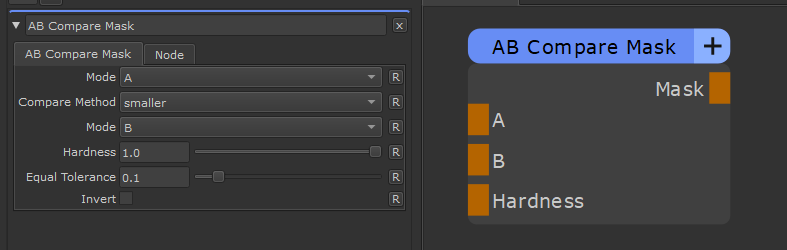
|
Node Ports |