Height Blend


Where to find it: (This Node is available in the Nodegraph only)


NodeGraph / Right Mouse Click / Add Nodes / Layer / Extension Pack /


Shortcut (Nodegraph Only): CTRL+ALT+H


Quick Setup

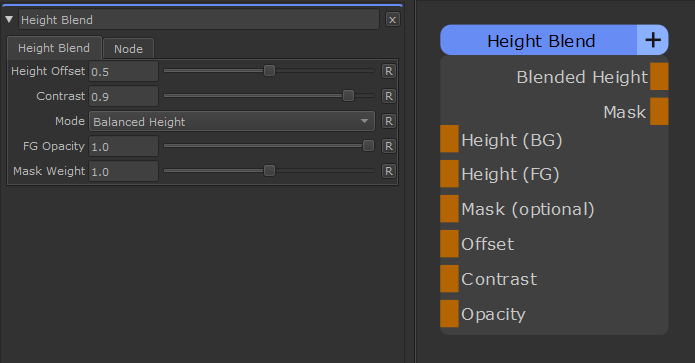
Node Overview

Node Ports

Node Properties


The Height Blend Node allows you to blend together two Height/Displacement or Bump maps. It is capable of outputting either

the combined new Height or a Mix Mask that you can use to blend entire materials.


See also the "Smart Height Blend" option in the Nodegraph to speed up creation of Height Blend Setups


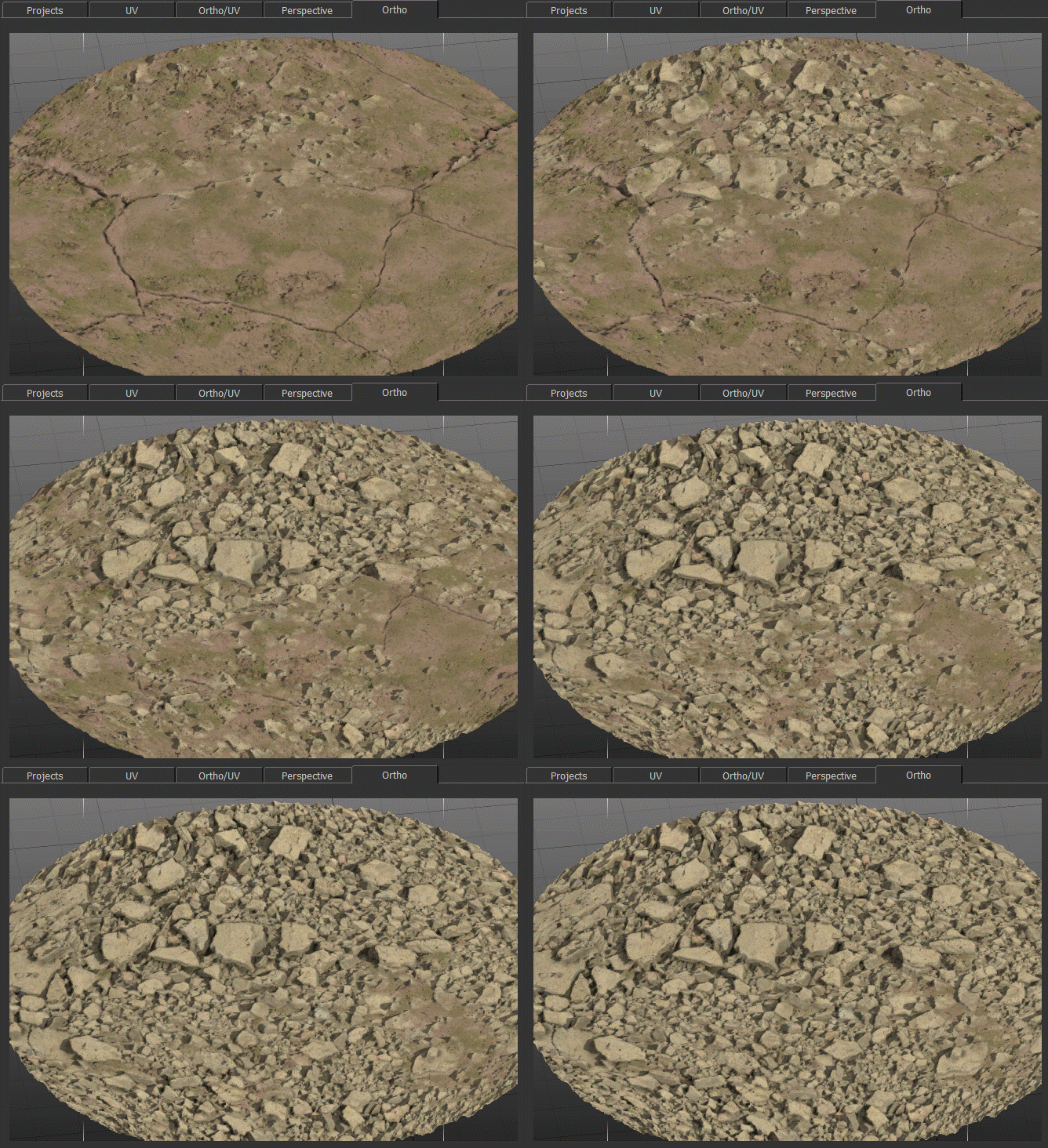
To Materials blended together using a Height Blend Node's Mask Output


Quick Setup


You can create the setup with two (material or regular) nodes selected and by pressing CTRL+ALT+H

Alternatively you can select two (material or regular) nodes and choose the "Height Blend" Option from the Node Creation Hotbox (Hotkey C)

Finally you can also access it via new Node Context Menus, by selecting a Multi Channel Merge Node and pressing CTRL+SPACE


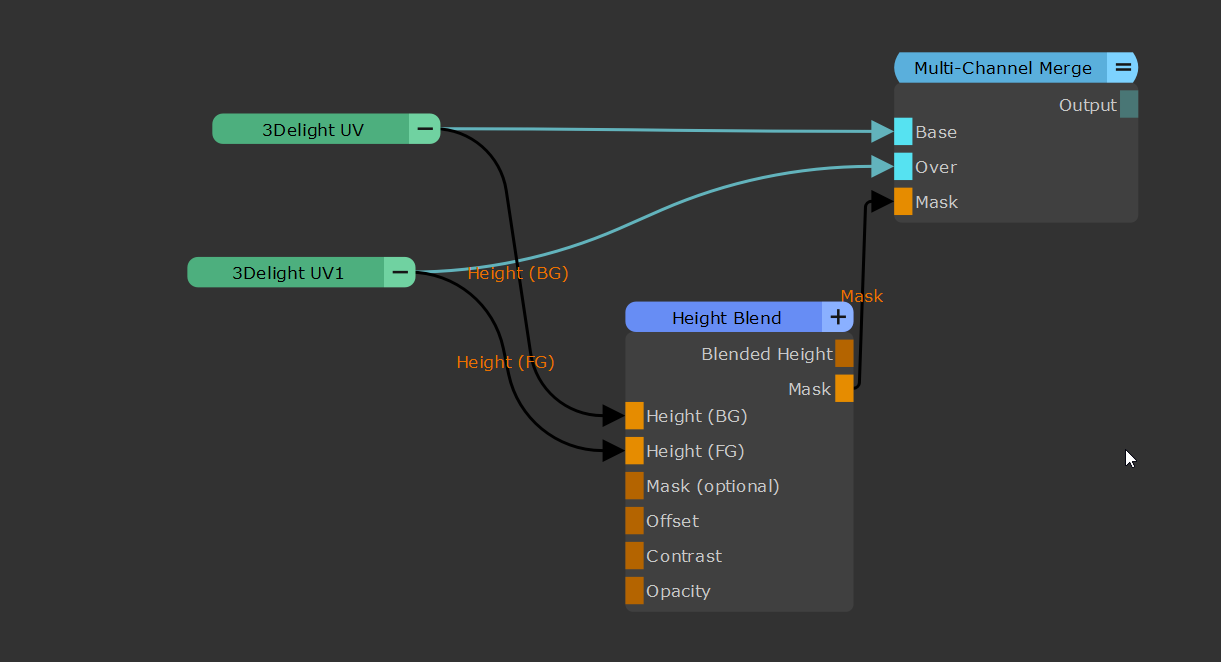
Example of an automatically created Height Blend Setup where the displacement of the materials is fed into the BG and FG ports of the Height Blend Node

Node Overview 


Node Ports

Height (BG)

The Height Map for the Bottom Layer


Height (FG)

The Height Map for the Top Layer


Mask (optional)

Exclude areas from being affected by the FG Height.


Offset

Applies an Offset to the Top Layer Height Map. Overwrites the Height Offset Slider of the Node


Contrast

Determines the contrast of the Blending Mask generated between Top and Bottom Layer. Overwrites the Contrast Slider of the Node


Blended Height

A combined Height Map from the Bottom and Top Layer


Mask

A Mask how the Bottom and Top Layer have been combined that can be used for Material Blending


Node Properties


Height Offset

Applies an Offset to the Top Layer Height Map


Contrast

Determines the contrast of the Blending Mask generated between Top and Bottom Layer


Mode

Determines the algorithm used to combine the two height maps


Balanced Height


Will constantly re balance the two height maps to achieve a realistic result


BG Priority


The BG Height will remain unchanged and the FG Height is 'moved' through it.


FG Opacity

Applies a simple Opacity to the Mask used to blend the FG Height over the BG Height, meaning the mask will

get more weight added uniformly


Mask Weight

You can use a Mask attached to the Mask (optional) Nodeport to exclude areas from

being affected by the FG Height.

The Mask Weight affects the attached Mask or acts against a value of 1.0 if no Mask is attached.


When the Mask Weight is 1.0 or lower it multiplies against the attached Mask or 1.0 if no Mask is attached

When the Mask Weight is larger than one it adds a value to the Mask making the Mask go overall more towards a constant

value of 1.0