
|
Duplicate & Flatten |
 Where to find it:
 Channels Palette /
 Channels Palette / Right Mouse Click
Main Window / Channels
Main Window / Extension Pack / Channels
 Shortcut: (unassigned, use "Edit / Shortcuts" to assign)


 Duplicate then flatten Duplicate
Duplicate then flatten Original
Duplicate & Flatten allows you to batch flatten multiple channels.
|
|
What happens to Shared Layers & Channels ? Sharing is maintained in the original unflattened Channel |
This can be useful to improve performance on large layerstacks without loosing the original channels.
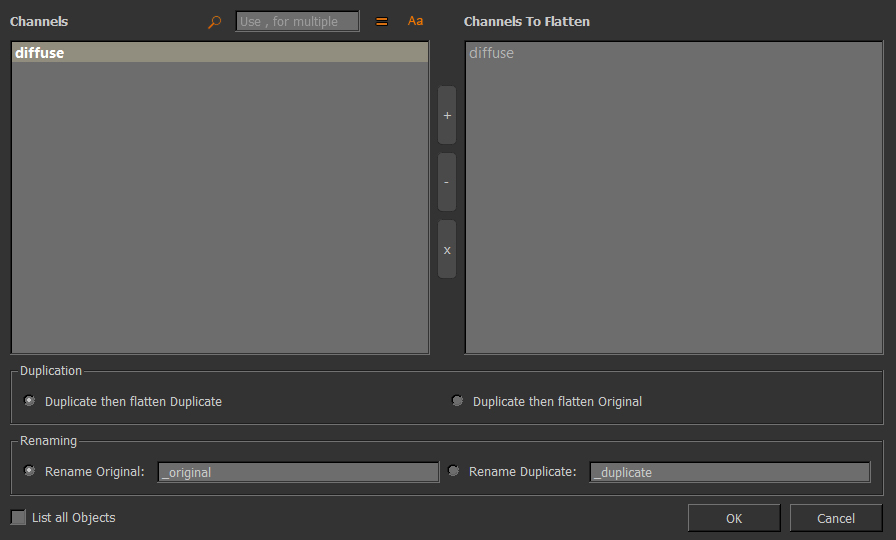
Filtering options at the top of the dialog allow you to search through the list of Channels
•Deactivate the filter by clicking on the Magnifying Glass 

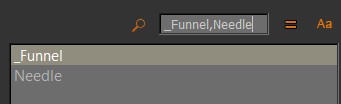
•Search for multiple words by separating them with a comma (,)
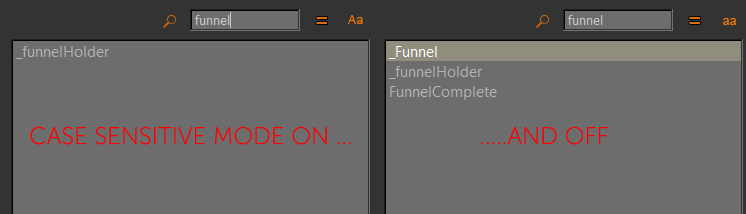
•Search in Case Sensitive  or Case Insensitive Mode
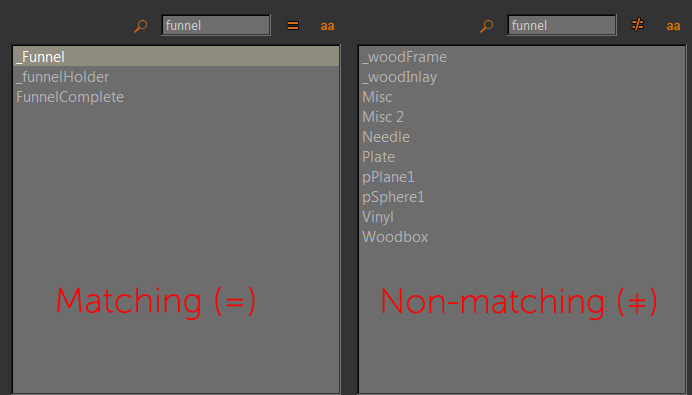
•Search for matching  or non matching
  words
words
List all Objects will show all Channels from all Objects in your Project
•Duplicate then flatten Duplicate
The selected channel will be duplicated and the duplicated channel will be flattened
•Duplicate then flatten Original
A 1:1 duplicate (including sharing intact) of the selected channel will be created, then the original channel will be
flattened
Will suffix the name of the original channel with the given string
Will suffix the name of the duplicated channel with the given string