
|
Item List Switch (X10) |
 Where to find it: (This Node is available in the Nodegraph only)

 NodeGraph / Right Mouse Click / Add Nodes / Layer / Extension Pack /
Shotcut (Nodegraph Only): non assigned
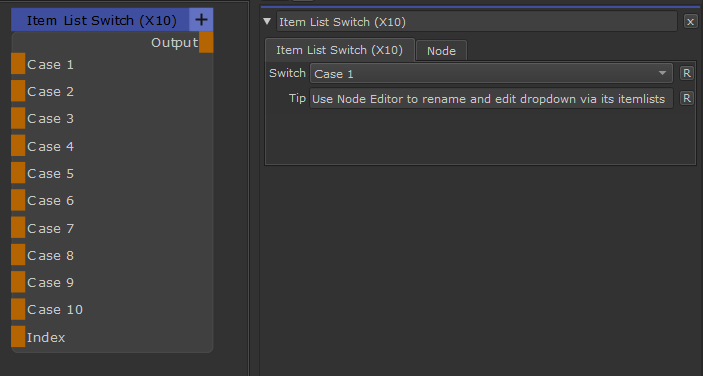
The Item List Switch Node allows you to switch between up to 10 Inputs, using a Dropdown Menu in the Node Properties or an optional Override via a Node Port.
What makes the Node special compared to for example the Input Switch X11, is that its Dropdown can be customized to
•Set the amount of items (maximum 10)
•rename dropdown items
You want to know how to customize the Node ? Check this detailed Explanation of "Customizing Item Lists", part of the Node Editor.
|
Node Overview |
|
Node Ports |