
|
Convert Connection |
 Where to find it:

 NodeGraph / Right Mouse Click / Connection / Convert ..
Main Window / Extension Pack / Nodegraph / Connection / Convert ..
Shortcut (Nodegraph Only): CTRL+ALT+C
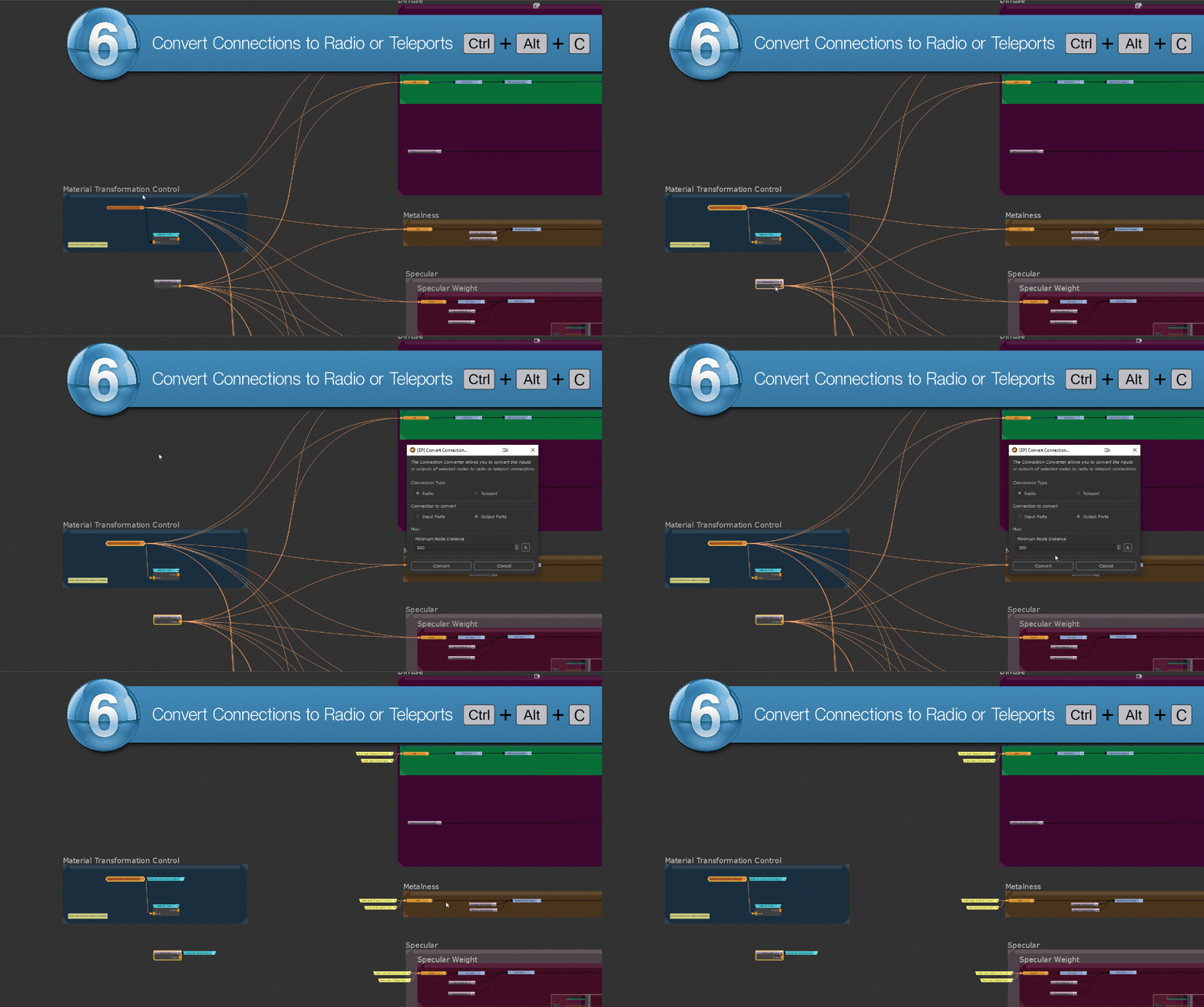
The "Convert .." options allow you to quickly convert the input or output connections of one or multiple selected nodes to use Radio Nodes or Teleport Nodes.
The tool comes in multiple variations:
•A convenience dialog hotkeyed to CTRL+ALT+C, allowing you to access all options (convert inputs or outputs, convert to radios or teleports)
•Individual options that can be hotkeyed separately using Mari's Hotkey Editor
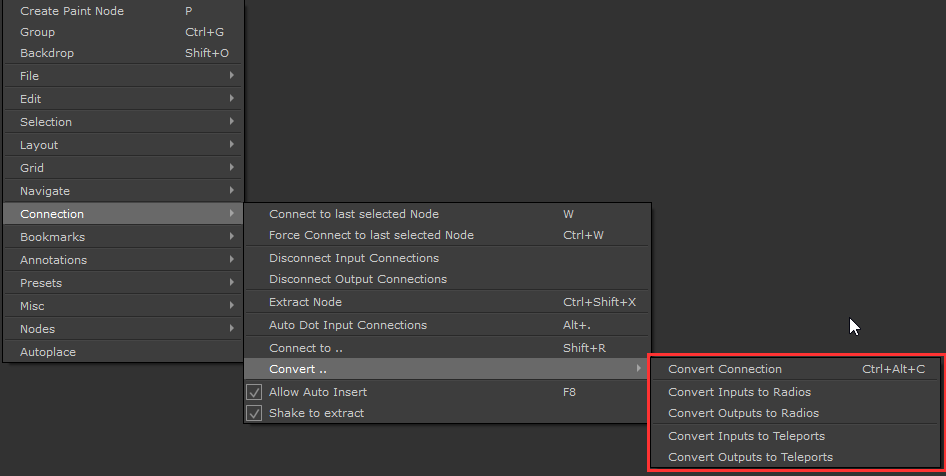
The "Convert Connection" dialog is the main option, containing all other individual options for easy access in one tool
•Convert Inputs to Radios
•Convert Outputs to Radios
•Convert Inputs to Teleports
•Convert Outputs to Teleports
|
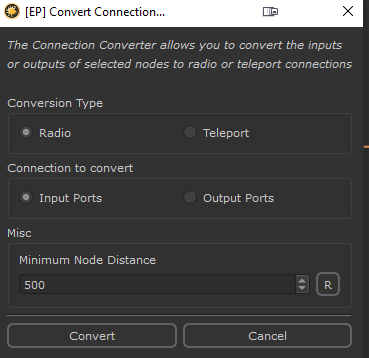
Conversion Type |
Specifies what Node type to convert the connection into
•Radio will create pairs of Radio Transmitters and Radios Nodes
|
|
The Radio Node system is an Extension Pack Feature. It works by hiding the connection between two nodes, allowing you to show and hide the connection line. |

•Teleport will create pairs of Teleport Broadcast and Teleport Receiver Nodes. The "Broadcast Channel Name" is determined by the selected Node Name when converting the connection
|
|
The Teleport system is a native Mari feature. It allows you to define a "Broadcast Channel: that a receiver in any graph can pick up |

Both methods (teleports and radios) are similar however radios constrained to the current graph can be an advantage or disadvantage
•PRO: Radio Node Connections will not be "inadvertently" picked up by another radio. Teleports on the other hand are name sensitive therefore it can happen that an existing Receiver set to the same name picks up a connection by mistake
•CONTRA: Radios are limited to the graph level they are in. They cannot traverse across multiple graphs
|
Connection to convert |
Determines which ports of the current node selection to convert:
•Input Ports will convert node connections going into the node from the left side
Example of converting the Input connections of the Merge node in the center
•Output ports will convert node connections leaving the node on its right side
Example of converting the Output connections of the Merge node in the center

|
Minimum Node Distance |
The "Minimum Node Distance" defines how far apart two nodes need to be at minimum for their connections to be converted.
This can help when batch converting multiple nodes to avoid connections being converted for node pairs that do not need it