
|
Normal Cavity |
 Where to find it:
 Add Adjustment Layer / Extension Pack / Normal Map /
 NodeGraph / Right Mouse Click / Nodes / Filter / Extension Pack / Normal Map /

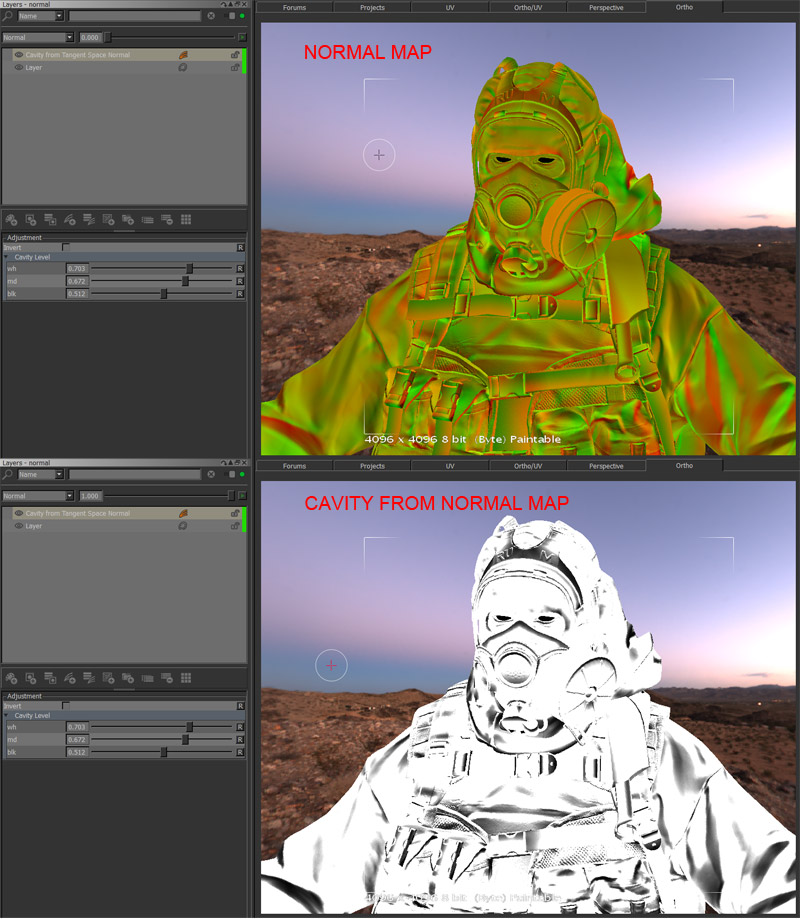
Normal Cavity will create a pseudo cavity map based on your normal map.
The Nodes options behaves very similar to a Levels Adjustment after a channel specific weight.
|
|
16bit Normal Maps will give better results than 8bit. |
|
Behaviour |
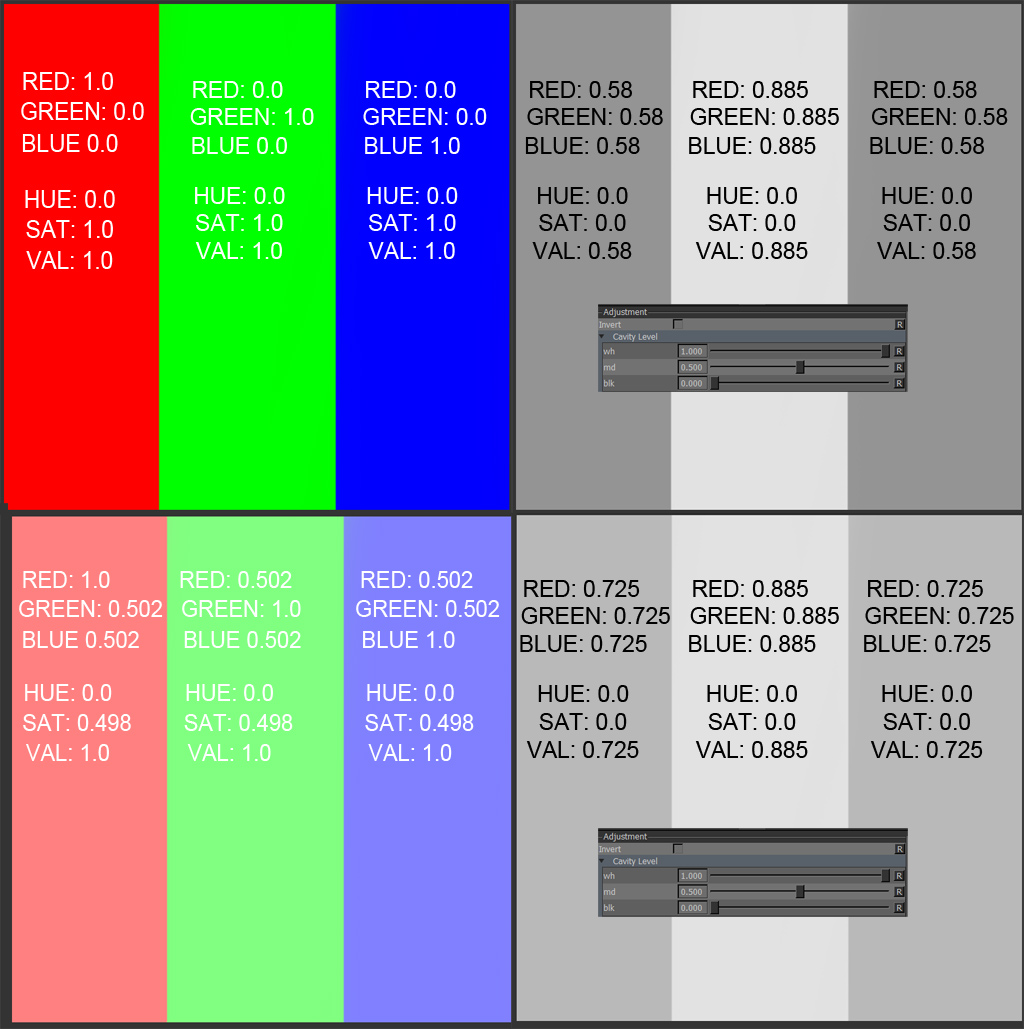
•Red Channel hSv (saturation) will result in values being subtracted from the final result.
•Red Channel hsV (Value) is ignored
•Red Channel Midpoint is 0.5
•Green Channel hsV (value) will result in value being added to the final result.
•Green Channel hSv (saturation) is ignored
•Green channels Midpoint is 0.8
•Blue Channel hSv (saturation) will result in values being subtracted from the final result.
•Blue Channel hsV (Value) is ignored
•Blue Channel Midpoint is 0.5
•wh / md / blk options are a regular level on the final contribution
|
Node Overview |

|
Node Ports |
•Input
|
Node Properties |
MAIN TAB