
|
Swap Node Type |
 Where to find them:

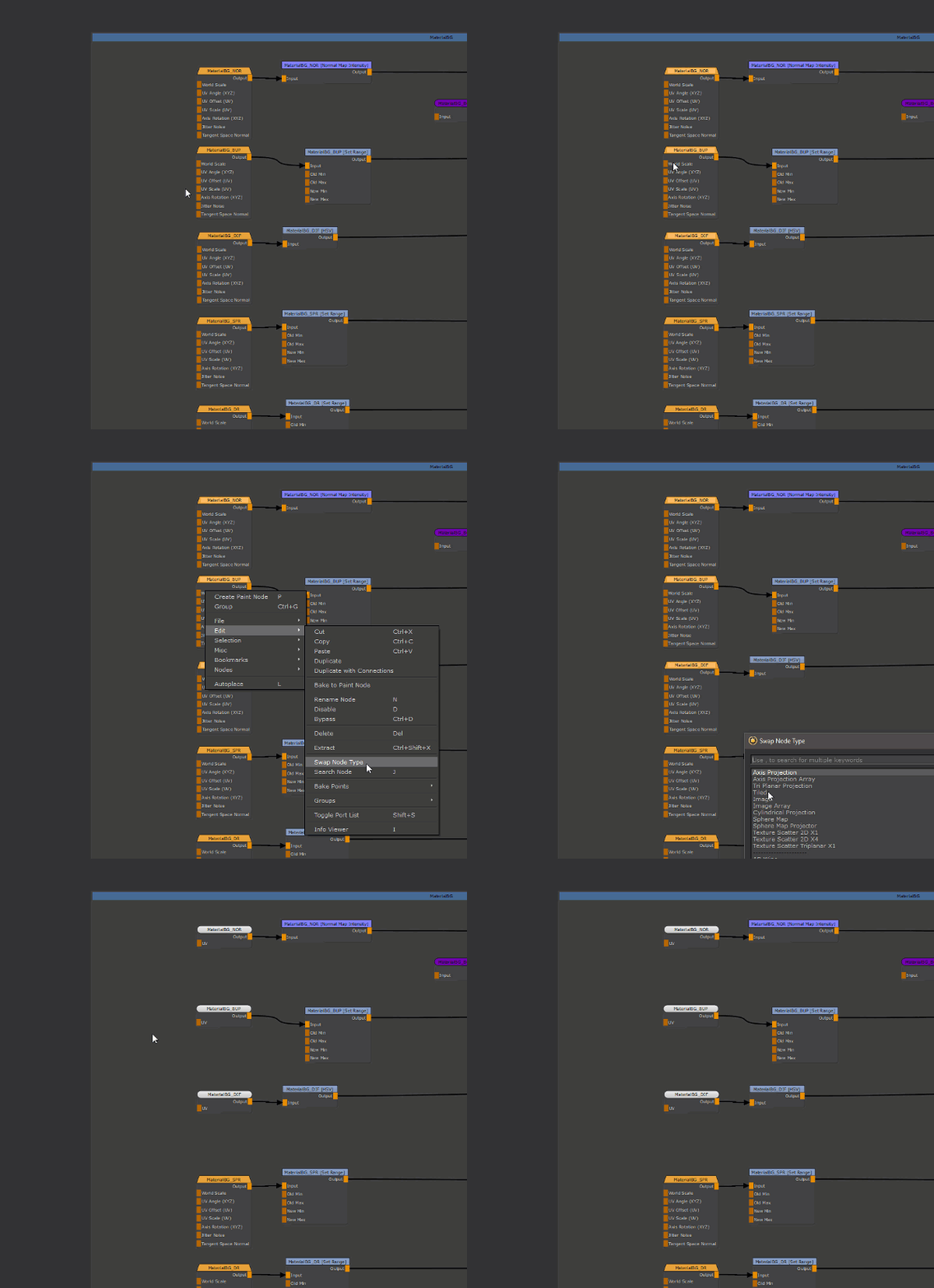
 NodeGraph / Right Mouse Click / Edit /
Main Window / Extension Pack / Nodegraph / Edit /
Shortcut (Nodegraph Only): X
Swap Node Type allows the swapping of one Node Type for another e.g. a 'Tiled' Node for a 'Triplanar',
a Texture Scatter 2D for a Texture Scatter 3D etc.
oAbility to swap multiple Nodes at once
oInput and Output connections are maintained where possible
oOptional: Attribute Settings (Size, Tiling etc.) are transferred where possible
oOptional: Image Attributes are transferred
|
Special Behaviors |
Selecting a standard Mari Node Type (e.g. a procedural node) will show nodes from the same category at the top of the list
Example of swapping from a Perlin Node, with the nodes from the same category (Cellular, Perlin, Squiggle etc.) displayed at the top of the list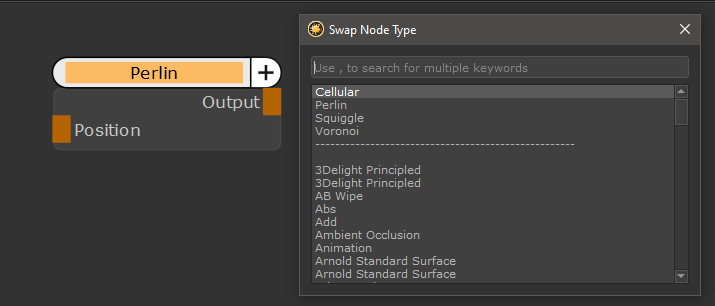
Selecting a standard Mari Node Type (e.g. a procedural node) will display custom procedurals from your shelf at the bottom of the list
Custom Procedurals found in your Shelf Palette will be displayed at the bottom of the List

Selecting a Material will show Materials (of same Shader Type) found in your shelf in the list, as options to swap to
Materials from the Shelf Palette will be shown as swap target options, if the selected source node is a material
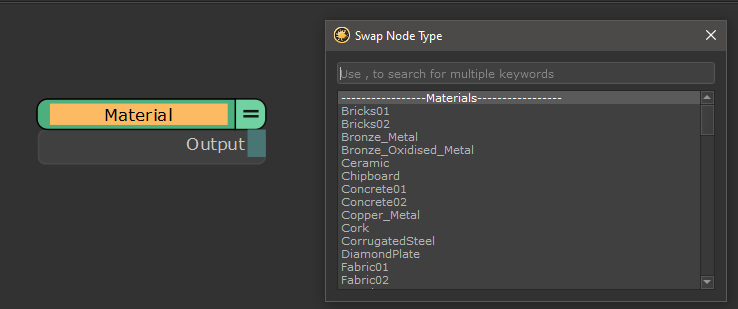
If the selected source Material is based on an Extension Pack Material Template , the dialog will show
oother Material Templates from the same Shader Model at the top
oother Material Templates from other Shader Models below
oany other Material found in the Mari Shelf Palette further down the list

Swapping between Extension Pack Material Templates is running additional checks to ensure correct conversion between different models
e.g. Glossiness to Roughness Conversions etc.(if the "inherit Values" checkbox is on)
If the selected Node is a Blend Mode Node, Swap Node Type will open pre-filtered to show other Blend Mode Nodes and Merge Nodes

If swapping from a Blend Mode Node to a Merge node, the Opacity is inherited as well the correct Blend Mode is pre-set on the Merge Node
If swapping from a Merge or a MergeNodeAlpha node to a Blend Mode Node, the Opacity is inherited. If swapping from a MergeNodeAlpha,
the "Keep Alpha" checkbox on Blend Mode Nodes is automatically activated where available.